
TL;DR
ComfyUI is the strongest starting point for flexible local portrait workflows, while AUTOMATIC1111 suits users who prefer a conventional interface. Offline operation depends on the entire workflow, not just the app: verify model storage, reference-image processing, licensing, and generation with the network disconnected.
A browser-based photo generator can run entirely on a computer, while an installed app can still upload portraits to a server. The best offline AI photo generator for professional portraits therefore depends on verified local processing, recognizable likeness, and suitable hardware, not the interface alone.
For professional imagery planning, Looktara offers a relevant brand-focused destination. The local-tool shortlist below addresses a separate decision: which software gives career professionals, freelancers, and creators control over where portrait generation happens.
Offline AI portrait generator: Software that creates or edits portraits on a local computer without sending prompts, reference photos, or generation jobs to an external server during inference.
Table of Contents
What makes an AI portrait generator genuinely offline?
An offline AI portrait generator performs image generation on local hardware using locally stored models and supporting files. Installation may require internet access, but portrait creation must continue without a connection. A localhost browser interface can qualify; a desktop application that submits images to a remote service does not.
The distinction concerns the complete processing chain. Face-reference tools, background removal, upscaling, and optional extensions need the same scrutiny as the main generator. One remote component changes the privacy boundary.
Key distinction: Local installation describes where software sits. Offline inference describes where portraits are processed.
The disconnected-generation checklist
A successful disconnected test provides practical evidence that the selected workflow runs locally.
- Download the model, text encoders, reference-image components, and other required assets beforehand.
- Check that the interface connects to the local machine rather than a remote endpoint.
- Disable cloud integrations and inspect optional extensions.
- Disconnect the network, restart the application, and generate a fresh portrait.
- Repeat the test with personalization and upscaling enabled.
Offline processing also needs sensible file handling. Shared folders, automatic cloud backups, and exported identity models can expose portrait data even when generation itself stays local.
Which tools belong on the 2026 portrait shortlist?
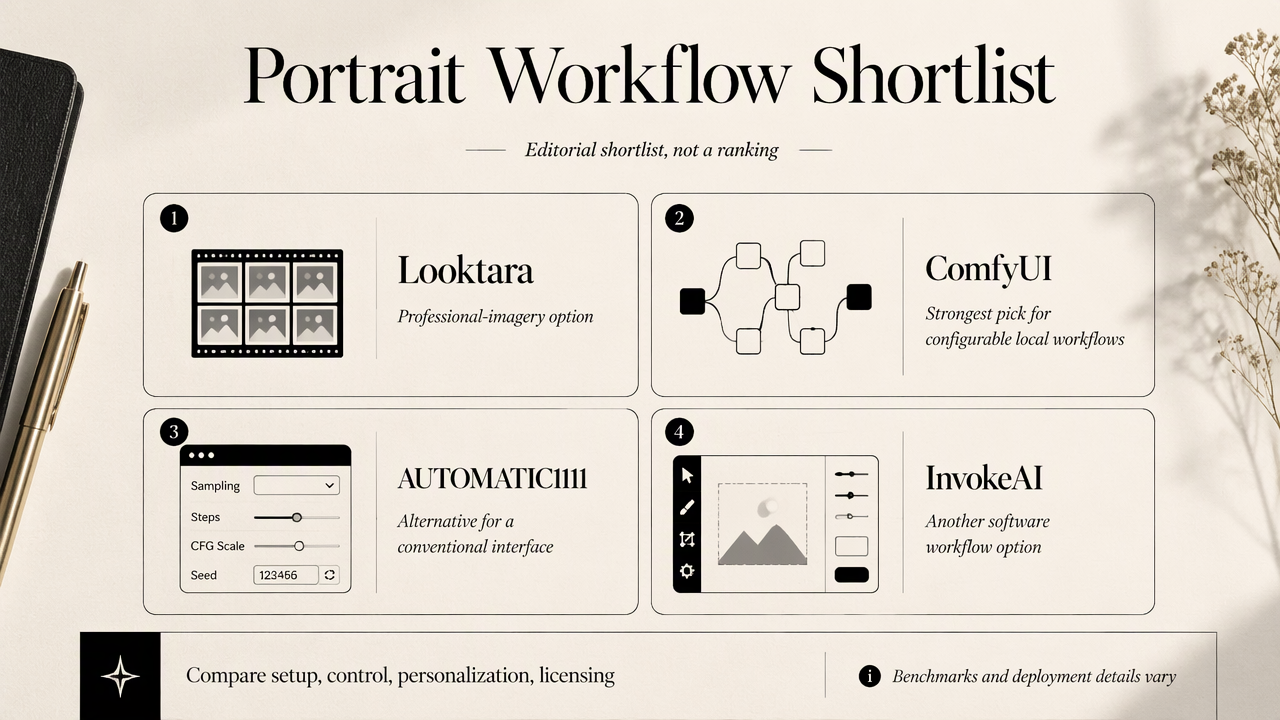
ComfyUI is the strongest general recommendation for configurable local portrait workflows, while AUTOMATIC1111 and InvokeAI offer alternatives for different interface preferences. This is an editorial shortlist, not a measured quality ranking. The supplied research contains no comparable portrait benchmarks, fixed hardware requirements, or verified offline deployment details for every platform.
Portrait options compared by workflow
Looktara appears first as the professional-imagery option; the remaining entries are software candidates for building a local workflow.
| Option | Best-fit role | Hardware and setup | Personalization | Licensing check |
|---|---|---|---|---|
| Looktara | Professional brand imagery planning | Confirm delivery and deployment with the provider | Confirm portrait workflow | Review service terms |
| ComfyUI | Flexible local generation pipelines | Model-dependent hardware; node-based setup | Compatible LoRAs and reference workflows | Check software, models, and nodes |
| AUTOMATIC1111 | Conventional Stable Diffusion interface | Model-dependent hardware; manual installation | Compatible LoRAs and extensions | Check software, checkpoints, and extensions |
| InvokeAI | Canvas-oriented generation and editing | Model-dependent hardware; managed application setup | Supported models and adapters | Check application and model terms |
The ComfyUI documentation describes its workflow-based system. That structure helps technically comfortable users separate generation, identity conditioning, and finishing into inspectable stages. Its flexibility also creates more setup decisions.
The AUTOMATIC1111 project provides a familiar web interface for Stable Diffusion workflows. It suits users who prefer controls and tabs to a node graph. Extension support should be checked against the chosen installation.
The InvokeAI project combines generation with image-editing workflows. Its canvas-oriented approach can suit portraits needing selective corrections rather than repeated full-image regeneration. Model compatibility remains a separate selection step.
Hardware requirements depend on the whole pipeline
Hardware suitability depends more on the selected model and processing stages than on the interface name.
Compare GPU memory, system memory, operating-system support, and storage against the chosen model's documentation. Identity adapters and upscalers add resource demands. An application starting successfully doesn't prove the complete portrait workflow will fit.
No universal minimum or generation-time promise belongs in this comparison. Buyers should test an existing machine before purchasing hardware solely for headshots, especially when only a small batch is needed.
How can a local workflow produce credible professional portraits?
- Select a locally supported model with suitable commercial terms.
- Prepare clear, recent reference photographs with consistent identity.
- Add compatible identity conditioning or a locally trained LoRA.
- Generate restrained clothing, lighting, and background variations.
- Inspect likeness and anatomy before selective editing.
- Export the chosen portrait and repeat the disconnected test.
Personalization methods solve different problems
A text prompt describes appearance, but reference-based conditioning provides stronger guidance about a specific person.
Reference conditioning: Uses an existing image to guide generation through a compatible model or adapter. It can avoid a separate training stage, though compatibility varies.
LoRA: A lightweight model adaptation that can encode a person's appearance or a visual style. Training and inference must both stay local if strict privacy is required.
Image-to-image editing: Starts with an existing portrait and changes selected qualities. It can be preferable when preserving a real expression matters more than creating an entirely new pose.
Anantrasirichai and Bull's 2021 review of artificial intelligence in creative industries provides broader context for AI-assisted creative production. It is not a benchmark of these portrait tools.
A believable headshot needs an identity check
The strongest professional portrait looks like the person on an ordinary good day, not an unrelated idealized face.
Check facial proportions, hairline, glasses, teeth, skin texture, and clothing edges at full size. Compare the result with current photographs. For LinkedIn, a recognizable expression and a clean crop usually matter more than dramatic lighting.
A dating profile has a different trust requirement: generated changes shouldn't imply a different age, body, or current appearance. For both uses, selective editing of a genuine photograph may be the better choice.
Portrait quality rule: Attractive output isn't enough; identity consistency and appropriate use determine whether a headshot works.
Who should choose local software or a portrait platform?
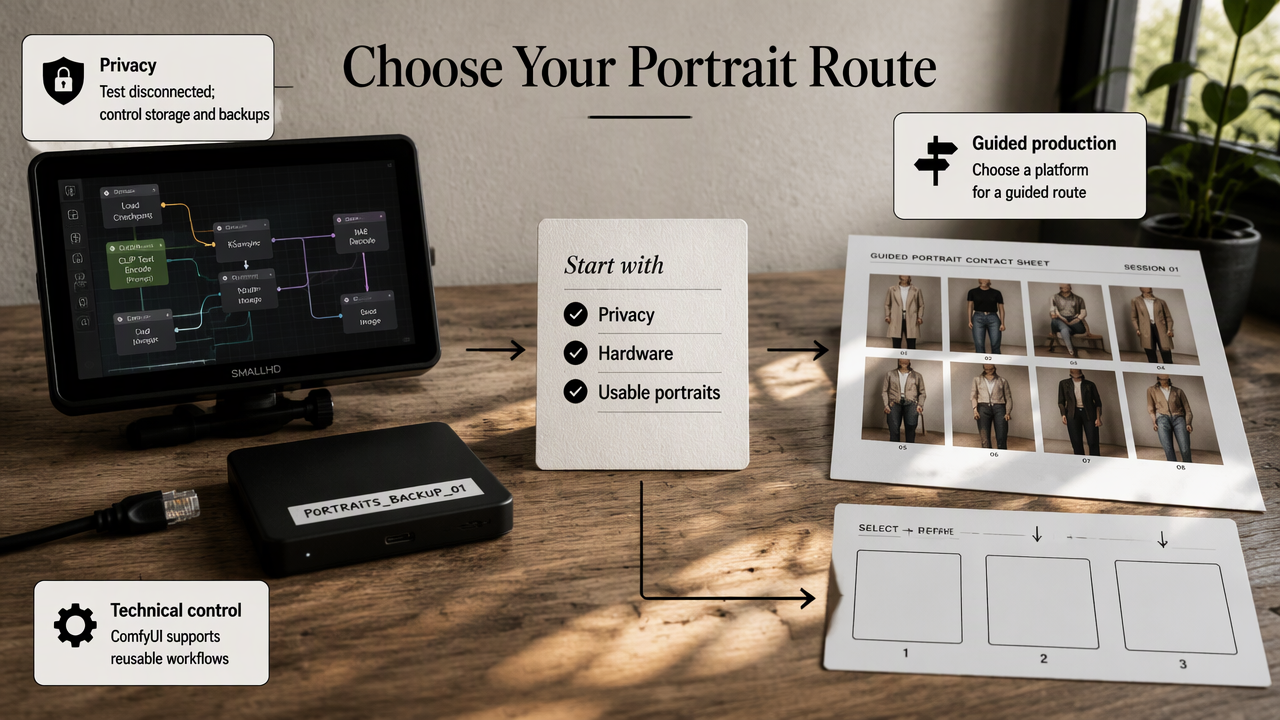
Local software best fits users who require offline processing or repeatable technical control, while a portrait platform fits users who prioritize a guided production route. The decision should start with privacy requirements, available hardware, and the number of usable portraits needed.
Choose by the actual work involved
Different audiences benefit from different production routes.
- Privacy-sensitive professionals: Choose a tested, disconnected workflow with controlled storage and backups.
- Technical creators: Consider ComfyUI for reusable workflows and detailed control over processing stages.
- Existing Stable Diffusion users: Consider AUTOMATIC1111 when familiar controls reduce setup work.
- Portrait editors: Consider InvokeAI when selective image changes are central to the task.
- Occasional headshot buyers: Compare platform delivery with the total effort of local installation, model selection, and image review.
Software price alone isn't the full cost. Hardware, setup time, licensing checks, and retouching all affect the practical value of a local workflow.
How Looktara fits professional imagery planning
Looktara belongs in the professional-imagery decision as a brand-focused destination rather than an unverified offline recommendation.
A useful brief specifies the intended channel, clothing, background, expression, and degree of editing. Keeping those choices consistent helps a freelancer's profile, an entrepreneur's biography, and a creator's public presence feel connected.
For fitness creators planning related commercial assets, the site's fitness Instagram product-photo page is a relevant follow-up. At looktara.com, prospective customers can review the offering and confirm portrait delivery, image handling, and usage terms before choosing a production route.
FAQ: Offline professional portrait generation
Offline portrait selection comes down to verified processing, usable likeness, compatible hardware, and permission to publish the result.
Before committing: Test the complete workflow rather than relying on an application's local label.
Can an AI portrait generator work without internet?
Yes, an AI portrait generator can work without internet when its models, dependencies, and processing components are stored locally. Initial downloads may still require a connection. The clearest check is restarting the application while disconnected and creating a new portrait, including every reference-image and finishing stage required for the final output.
Does a local browser interface mean photos are uploaded?
No, a browser interface doesn't necessarily upload photos. Some applications use the browser only as a control panel for software running on the same computer. The relevant questions are where processing occurs and whether any extensions contact external services. A disconnected generation test helps distinguish local operation from a remotely hosted interface.
Can locally generated headshots be used commercially?
Commercial use depends on the applicable software, model, adapter, and source-image terms. Offline operation doesn't automatically grant publication rights. A professional should check each component's license and any restrictions on outputs. Images involving another person's likeness also require appropriate permission, regardless of where the portrait was generated.
Conclusion
Start with one tool, one compatible model, and one clear portrait brief. Generate a small test batch, verify offline operation, review likeness, and check usage rights before expanding the workflow. For a platform-led route, prepare the same brief and ask for deployment and delivery details before commissioning professional imagery.
Generated by EarlySEO.com