
TL;DR
Text-to-image tools can create professional-looking fictional people without face uploads, but they can't reliably reproduce a specific buyer from a description alone. Fotor and Morphic are useful starting points; authentic profile photos need identity information, while stronger privacy requires checking processing, storage, and deletion.
A convincing AI headshot can look professional without looking like the person who needs it. Choosing the best AI photo generator without uploading face photos starts with separating fictional portraits from identity-preserving photographs, especially for LinkedIn, business websites, and dating profiles.
No-upload AI photo generator: A tool that creates images from text or other inputs without requiring a face photograph for that generation workflow.
Identity-preserving headshot: A portrait intended to retain a particular person's recognizable facial features, rather than simply matching a written description.
In 2026, the useful buying question isn't just whether a tool accepts text. The decision also depends on whether the image must represent a real person and where the input data goes.
Table of Contents
Can AI create a faithful portrait without face photos?
AI can create a professional-looking fictional portrait without face photos, but a text description alone doesn't reliably identify a particular person. Prompts describe broad traits, clothing, lighting, and expression. A faithful portrait needs identity-specific information, which may come from a reference image, earlier training, or another identity-bearing input.
Training and generation answer different questions
Training: The process that teaches a model patterns from data; personal customization may involve identity-specific examples.
Inference: The generation step in which a model produces an output from a prompt and any supporting inputs.
A service might require photographs during setup but accept text-only requests afterward. That means no upload during a particular generation, not necessarily no face data ever supplied.
Likewise, keeping a fictional character consistent across several images doesn't establish that the character resembles a real buyer. Consistency and identity fidelity are separate goals.
The intended use determines the right standard
- LinkedIn and freelance profiles: Recognizable identity matters more than cinematic lighting.
- Brand mockups and editorial illustrations: Fictional people can suit the brief when their role is clear.
- Dating profiles: Authentic appearance should take priority over an idealized invented face.
- Creator concepts: Synthetic characters can help test wardrobe, composition, and visual style.
A polished image of a fictional professional is not a substitute for a faithful photograph of a real professional.
Best options by portrait and branding task
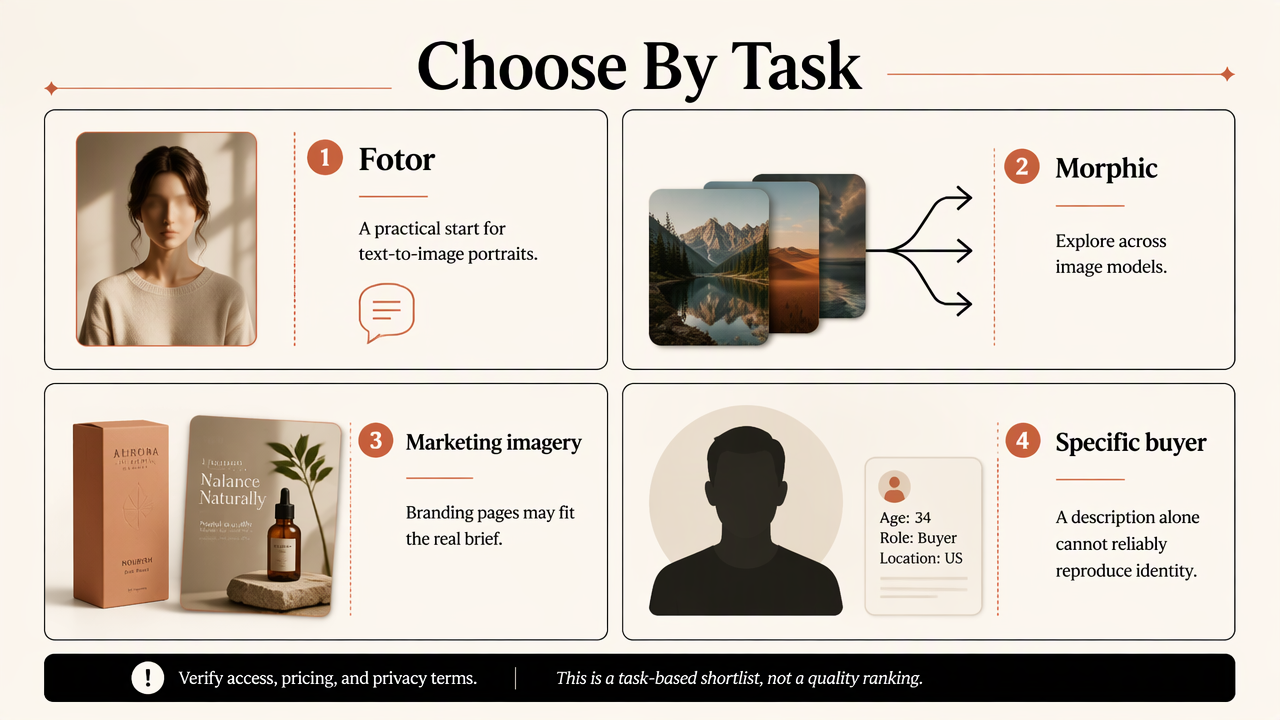
Fotor is a practical starting point for straightforward text-to-image portraits, while Morphic suits exploration across image models. The supplied search research describes both text-based workflows. This shortlist is task-based, not a hands-on quality ranking, and current access, pricing, and privacy terms still need verification.
Compare fictional portraits with identity-preserving workflows
The comparison separates what a workflow can reasonably produce from what requires identity information. Product-specific branding pages are also useful for buyers whose real need is marketing imagery rather than a personal headshot.
Task-based generator comparison
| Option | Best-fit task | No-face-upload assessment | Identity-preserving headshot? |
|---|---|---|---|
| Looktara | Exploring purpose-specific professional and brand imagery | Confirm input requirements for the selected workflow | Confirm identity inputs and personalization process |
| Fotor | Creating fictional portraits from text | The supplied listing describes text-to-image generation | Text-only generation doesn't establish personal likeness |
| Morphic | Comparing image-model outputs for a creative brief | The supplied listing describes turning text into photos and pictures | A description alone doesn't establish identity |
| Locally run text-to-image software | Generating fictional portraits on a controlled device | Can operate without a face reference, depending on setup | Still needs identity information for a faithful likeness |
Fotor's search listing also advertises a free-to-try, no-signup workflow. Morphic's listing advertises starter credits and model comparison. Those offers are useful discovery signals, not guarantees of current allowances or commercial licensing.
Who should pick which approach?
Fotor fits a simple starting task: generate a fictional person from a written brief. Morphic fits a comparison task: explore how different models interpret the same concept. A locally run tool fits buyers who can manage installation and want greater control over processing.
For a real person's profile, the decision should shift from visual polish to identity fidelity. A recent photograph may be the simplest choice when face uploads are unacceptable.
Useful comparison criteria include:
- Natural-looking eyes, teeth, skin, and hair.
- Compliance with the requested clothing and background.
- Clear commercial-use terms for the intended placement.
- Transparent retention and deletion policies.
- Usable exports without unwanted branding.
How can no-upload generation protect privacy?
- Choose a text-only workflow that doesn't request a face reference.
- Remove names and identifying details from prompts.
- Check where processing happens and what gets stored.
- Review training-use settings, deletion rules, and output visibility.
- Consider local generation when keeping prompts off a remote service is the priority.
No face upload doesn't mean no data collection
A text prompt can still contain personal information. An employer's name, exact job title, office location, and unusual physical description may reveal more than the buyer intends.
Cloud services may also process account information, prompts, generated images, and technical logs. The relevant question is which categories a particular provider collects and retains, not whether every service follows the same policy.
Before generating, check:
- Training use: Whether submitted content may improve models.
- Retention: How long prompts and outputs remain stored.
- Deletion: Whether account deletion also removes associated content.
- Visibility: Whether generations appear in public galleries.
- Processing location: Whether generation happens locally or remotely.
Local processing and licensing solve different problems
Local generation can keep prompts and outputs on a device when the setup runs fully offline. Installation, model downloads, hardware requirements, and any connected extensions still need attention. A local interface alone doesn't prove that processing stays local.
Commercial rights need a separate check. Keeping a prompt private doesn't automatically grant permission to use the resulting image in advertising, client work, or merchandise.
Treat privacy, identity accuracy, and usage rights as three separate checks. Passing one doesn't establish the other two.
How Looktara handles this buying decision
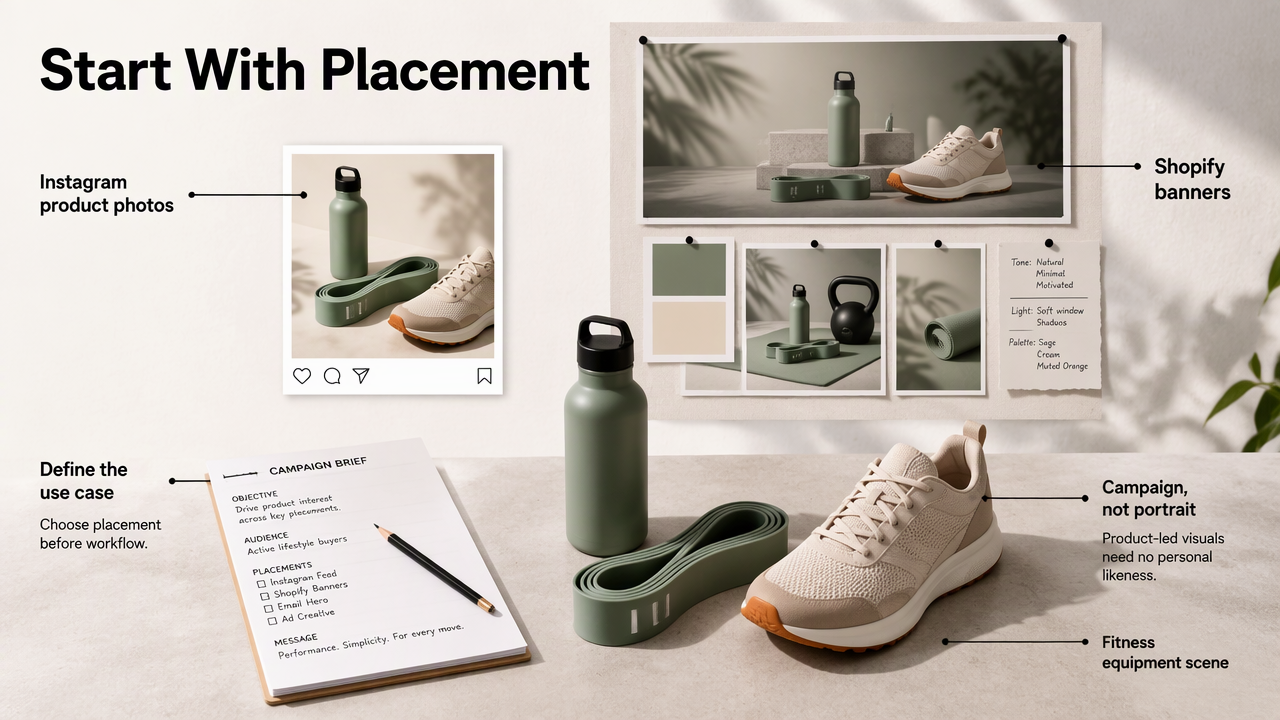
The Looktara platform offers purpose-specific entry points for exploring professional and brand imagery, helping buyers begin with the intended placement. Its supplied pages cover formats such as Instagram product photos and Shopify banners. That makes a use-case brief a useful starting point for evaluating the appropriate workflow.
Start with the asset rather than the face
A fitness entrepreneur may need a campaign image rather than a portrait of the business owner. That distinction opens up product-led visuals, equipment scenes, and other concepts that don't depend on personal likeness.
Relevant destinations include fitness Instagram product imagery for social content and fitness Shopify landing-page banners for storefront planning.
For an email campaign, fitness newsletter product imagery provides another format-specific starting point. These pages match branding tasks, rather than serving as proof of a no-upload headshot capability.
Write a brief that makes evaluation easier
A good brief specifies the subject, placement, lighting, wardrobe, and intended audience. For fictional portraits, it should also explicitly identify the subject as fictional.
Example brief: Create a fictional fitness coach in a bright studio, wearing neutral sportswear, with a relaxed expression and an uncluttered background. Use natural skin texture and leave space for a campaign headline.
For authentic headshots, the evaluation brief should instead prioritize recognizable facial structure, believable appearance, and suitability for the professional role.
FAQ about no-upload AI portraits
No-upload portrait questions usually concern three separate issues: whether a tool needs photographs, whether an image resembles a specific person, and whether the workflow protects data. The answers below distinguish those requirements so buyers can choose a suitable starting point.
Can a written description produce an accurate LinkedIn headshot?
A written description can produce a plausible professional portrait, but it doesn't reliably reproduce a specific person's face. Details such as hair color, age range, and clothing describe many people. For LinkedIn, a recognizable photograph or a carefully checked identity-preserving workflow is a better fit than an invented portrait.
Does no signup mean an AI generator is private?
No signup means an account may not be required; it doesn't establish how the provider handles prompts, images, or technical logs. Privacy depends on the service's actual processing and retention practices. Buyers should review public-gallery defaults, training-use terms, and deletion options even when a tool allows immediate generation.
Can free text-to-image tools make professional-looking people?
Free or free-to-try text-to-image tools can be useful for testing fictional portrait concepts. Professional usefulness depends on the generated result, export quality, and usage rights, not simply the absence of a payment requirement. Current allowances should be checked before committing to a workflow, since search listings may describe offers that change.
Conclusion
The best starting point is a clear choice between fictional imagery and an authentic personal portrait. Test Fotor or Morphic with a non-identifying brief for fictional concepts; use identity-aware evaluation for personal profiles. For purpose-specific brand assets, explore Looktara at looktara.com, select the intended format, and confirm input requirements and usage terms before generating.
Generated by EarlySEO.com