
TL;DR
Franchise directories need recognizable owner portraits, consistent styling, and permission for each publishing channel. Start with a small pilot, separate portrait approval from location-data approval, and expand only after owners and brand reviewers approve the results.
A polished franchise directory should make independent owners recognizable, not interchangeable. An AI photo generator for franchise owner directory portraits can support a consistent visual style across locations, but the project needs more than attractive headshots. Central marketing sets the presentation standards; each owner approves their likeness and local listing details. Looktara is a relevant option to explore for professional brand imagery within that approval-led process.
Table of Contents
What makes an AI portrait directory-ready?
A directory-ready AI portrait is an owner-approved image that preserves recognizable identity, follows franchise brand standards, and fits the intended listing format. Its purpose is to identify the person associated with a location, rather than suggest credentials, ownership rights, or premises that haven't been verified.
AI owner portrait: A generated or AI-assisted image representing a real franchise owner, reviewed against current reference photographs before publication.
Directory standard: The shared rules for framing, background, clothing, file format, and display that make separate location listings look related.
Local publishing approval: Confirmation that the portrait, owner name, role, location association, and intended channels are correct for that listing.
Standardize presentation, not personal identity
Consistency should come from the photographic treatment, not from making every owner look alike. A neutral background, similar head size, and common crop can unify a directory while retaining individual hairstyles, glasses, skin tone, and age presentation.
For example, a fitness franchise could choose shoulder-up portraits in plain business-casual clothing. The same standard can accommodate different expressions and personal styles without requiring every owner to wear an identical outfit.
A portrait communicates identity; the listing text establishes the verified role and location relationship.
A useful brief names the intended audience, the directory layout, and the approved treatment. That gives both owners and central reviewers a shared reference before generation begins.
How should franchise teams evaluate a generator?
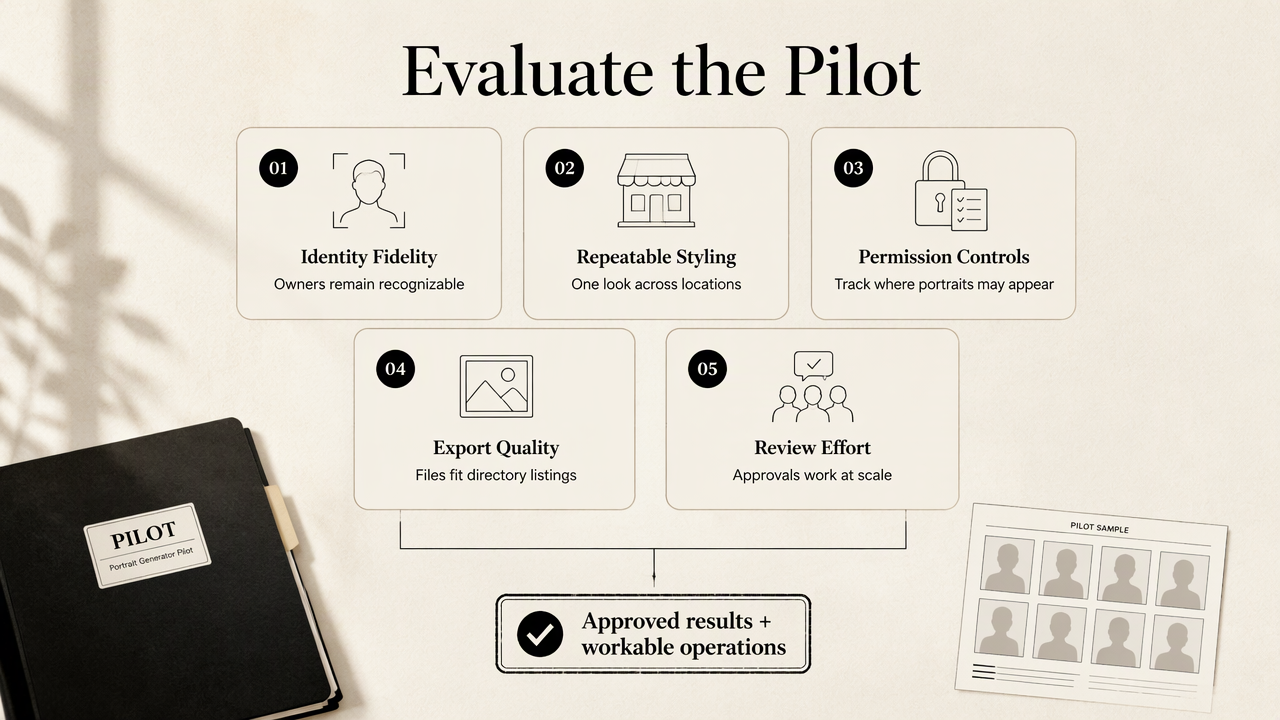
Franchise teams should evaluate a portrait generator through a small, representative pilot rather than a gallery of attractive examples. The test should cover identity fidelity, repeatable styling, permission controls, export quality, and review effort. Selection should depend on approved results and workable operations, not simply the number of images produced.
Compare the production routes
Different production routes suit different franchise needs; the choice depends on where visual consistency and photographic evidence matter most.
| Route | Best fit | Approval focus |
|---|---|---|
| AI-generated portraits | Distributed owners seeking a shared portrait style | Recognizable likeness and permitted presentation |
| Conventional photography | Listings requiring a documented real setting | Photographer brief, scheduling, and releases |
| Existing-photo editing | Owners with suitable recent photographs | Crop, lighting adjustments, and consistent backgrounds |
A conventional shoot remains useful when a listing must show the actual owner inside a specific location. Existing-photo editing can be sufficient when the only issue is uneven framing.
Test the full workflow before purchasing
A pilot should include owners with varied reference-photo quality and appearance, plus at least one listing with multiple owners or locations. These are suggested test cases, not a benchmark sample size.
- Identity: Can the owner recognize the result without relying on the caption?
- Style: Does the approved treatment repeat across different people?
- Exports: Can the image survive the directory's actual crop and compression?
- Data handling: Are retention, deletion, access, and training-use terms clear?
- Operations: Can reviewers track selections, revisions, and final approval?
Request current written terms before uploading personal images. Record total review effort and usable approved outputs when comparing costs; a large generation allowance alone doesn't establish value.
How should owner consent and approval work?
Franchise portrait approval should separate permission, visual review, and location verification into explicit steps. Central marketing owns the shared standards, owners approve their likeness and permitted uses, and a designated directory reviewer confirms the listing details. A recorded handoff keeps approval from becoming an informal exchange of image attachments.
Use a six-step approval workflow
A practical workflow gives every decision an owner and a record.
- Define the brief. Specify background, crop, clothing, output dimensions, and allowed brand elements.
- Collect consent. Describe the AI process, provider, intended channels, retention arrangements, and withdrawal contact.
- Gather reference images. Request recent, clear photographs through the approved collection method.
- Review identity. Let each owner approve the selected portrait against those references.
- Confirm brand and listing details. Check presentation, name, role, location association, and any required local wording.
- Publish and record. Store the approved asset, approvers, permitted uses, publication destinations, and review date.
Consent wording should reflect applicable law and contractual requirements. Legal review is appropriate where a franchise network spans jurisdictions or proposes uses beyond a basic directory listing.
Keep brand assets and local facts verifiable
Approved logos are best added from official artwork after portrait selection, rather than recreated inside a generated image. Uniforms, badges, signage, and office backgrounds also need explicit permission when they convey brand affiliation or qualifications.
Location-specific publishing requirements belong in the approval record. These may include the operating entity name, owner title, multiple-location associations, translated captions, or locally required notices. Requirements should be verified, not assumed to apply everywhere.
- Use the verified role label instead of inferring it from clothing.
- Obtain approval for each person in a multi-owner listing.
- Define how transfers, departures, and consent changes trigger updates.
The final handoff can pair one approved portrait with a location record containing the authorized caption and destination list. That package makes central publication easier to audit and local corrections easier to route.
How Looktara handles this
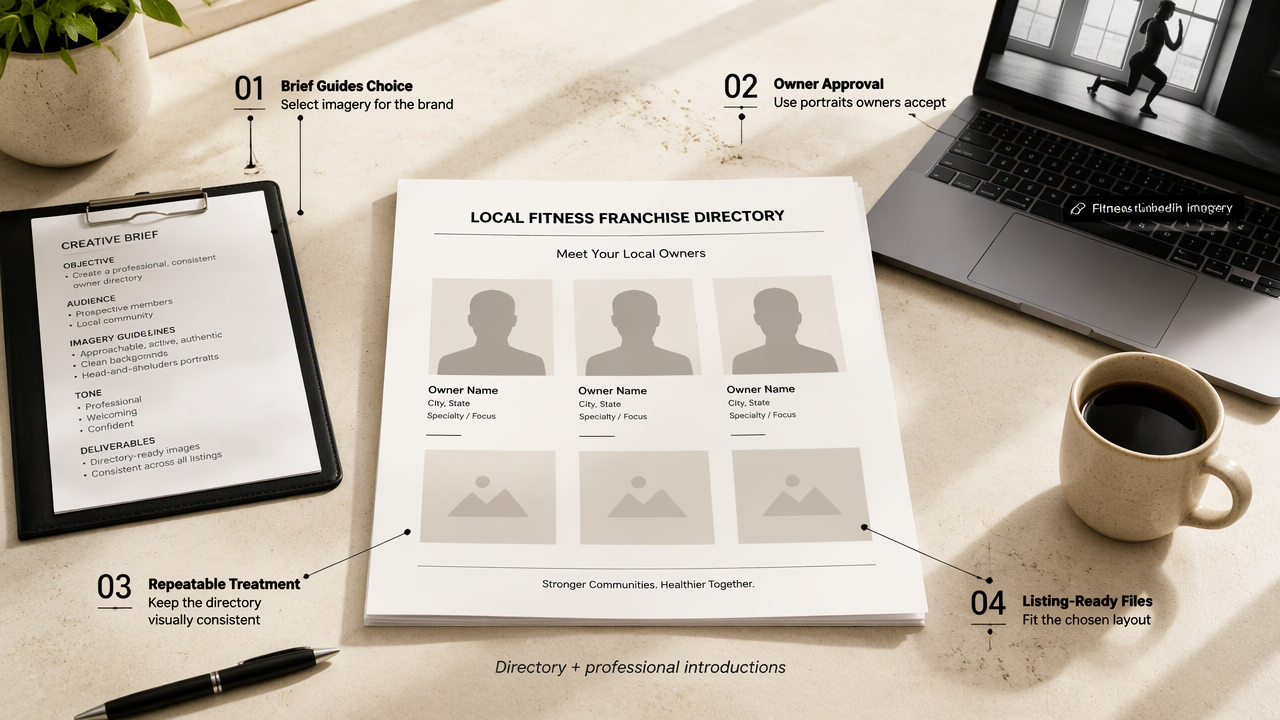
Looktara belongs in an approval-led franchise portrait workflow as a candidate for professional brand imagery, with the franchise brief guiding image selection and publication. A useful evaluation centers on directory-ready outputs: portraits owners approve, a repeatable visual treatment, and files that fit the chosen listing layout.
Connect directory portraits with approved brand uses
A fitness franchise may want an approved owner portrait to support both a directory listing and professional introductions. The platform's fitness LinkedIn imagery page provides a relevant starting point for that adjacent use.
Owner announcements are another distinct channel. The fitness newsletter imagery page is relevant when local newsletters introduce franchise operators. Each reuse should match the owner's recorded permission and the channel's layout.
A simple pilot brief can specify:
- One directory treatment shared across participating locations.
- One approved selection per owner.
- Separate crops for explicitly permitted secondary channels.
- A named central reviewer and local approver.
Make the pilot deliverable concrete
The pilot deliverable should be a publishable directory card, not just an isolated portrait. Pair the image with the verified owner name, role, location, and mobile crop, then review the card in the actual directory layout.
Product information on looktara.com can support the initial evaluation. The franchise team should confirm the intended workflow and current service details directly before setting a rollout schedule.
Approve a complete listing in context before expanding the portrait program across the network.
FAQ: Franchise directory portrait decisions
Franchise portrait decisions work best when identity, permission, and publishing context are considered separately.
Can an AI portrait replace a photograph taken at the location?
An approved AI portrait can serve as an identity image when the directory doesn't require documentary photography. A photograph taken on site is preferable when the listing needs to show real premises, equipment, or working conditions. The portrait and the location photograph can serve separate purposes within the same listing.
Does every franchise owner need the same background?
Every owner doesn't need an identical background, but the directory benefits from a defined background treatment. A shared color family, lighting style, and crop can create consistency without erasing individual appearance. Central marketing should decide which elements remain fixed and which can vary before owners submit images.
Should franchise directories disclose AI-generated portraits?
Disclosure should follow applicable legal requirements, platform rules, and brand policy. A clear label may also be appropriate when readers could mistake the portrait for a photograph of a real event or setting. Owner consent and audience disclosure address different issues, so one shouldn't automatically be treated as a substitute for the other.
Can one owner portrait appear across several locations?
One approved portrait can be reused across several listings when the person's association with each location is verified and the permitted uses cover those destinations. Each listing still needs its own accurate role and location information. A shared asset record helps teams update all affected listings when ownership or permissions change.
Conclusion
Start an AI photo generator for franchise owner directory portraits project with a written style brief and a small approval pilot. Assign responsibility for consent, likeness review, brand approval, and local listing facts before generating images. Then test the complete cards in the directory layout and expand only after the workflow produces publishable, owner-approved results.
Generated by EarlySEO.com